
eXtended Change Management (XCM)
On this page
Your suite of features designed to streamline and enhance change management processes for your SAP S/4HANA PLM Engineering Record conversion.
PLM Change Record (CR) with sophisTex XCM add-on

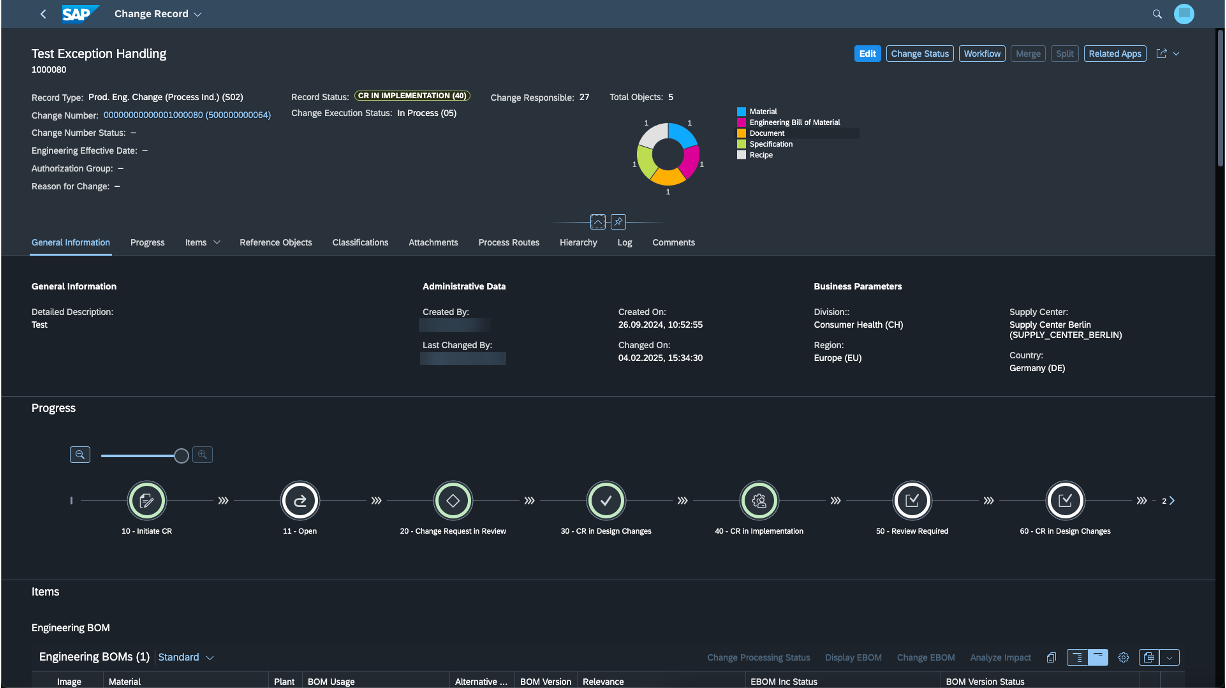
eXtended Change Management (XCM) is a certified SAP add-on that transforms standard S/4HANA Change Record functionality into a fully governed, streamlined change management process — no custom coding, no core modifications.
- XCM introduces a task-based process configuration that enables structured and flexible execution of change activities.
- It provides end-to-end process simulation capabilities via Process Builder, allowing users to validate and refine workflows before submission.
- Users can dynamically modify workflow process steps, ensuring greater control and adaptability.
- The solution enhances task agent determination through integration with Teams and Responsibility Management, enabling accurate and efficient assignment of tasks.
- It also delivers a dedicated SAP Fiori application for mass creation and maintenance of complex team hierarchies.
- Additionally, XCM offers fully dynamic field control powered by BRF+, enabling rule-based UI behavior without custom coding.
- Enterprise Search capabilities allow users to perform CR classification and change item-level searches, improving accessibility and traceability.
- Overall, XCM provides a comprehensive and enriched user experience, optimizing efficiency, governance, and transparency throughout the change management lifecycle.
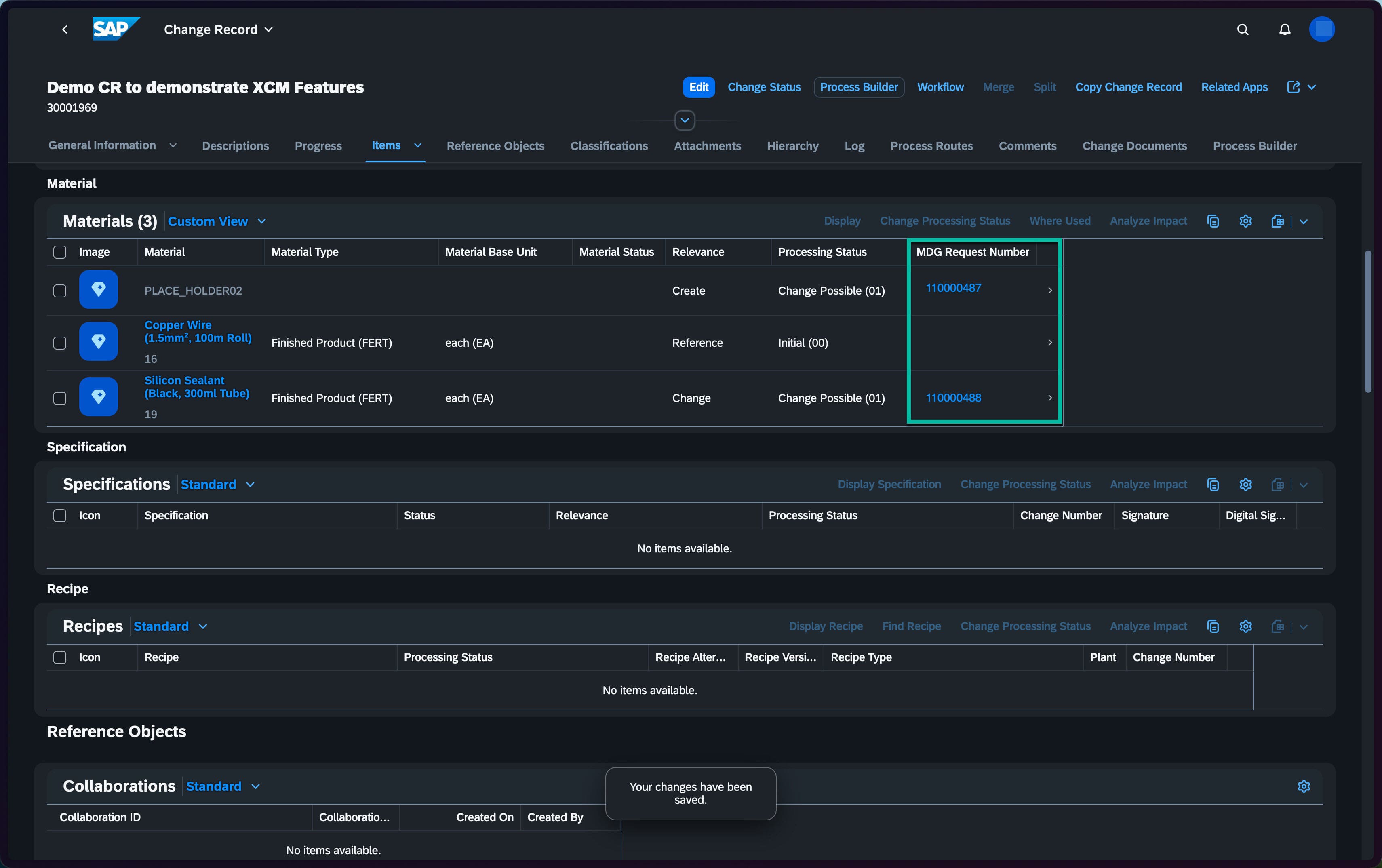
MDG-M Integration with sophisTex XCM add-on
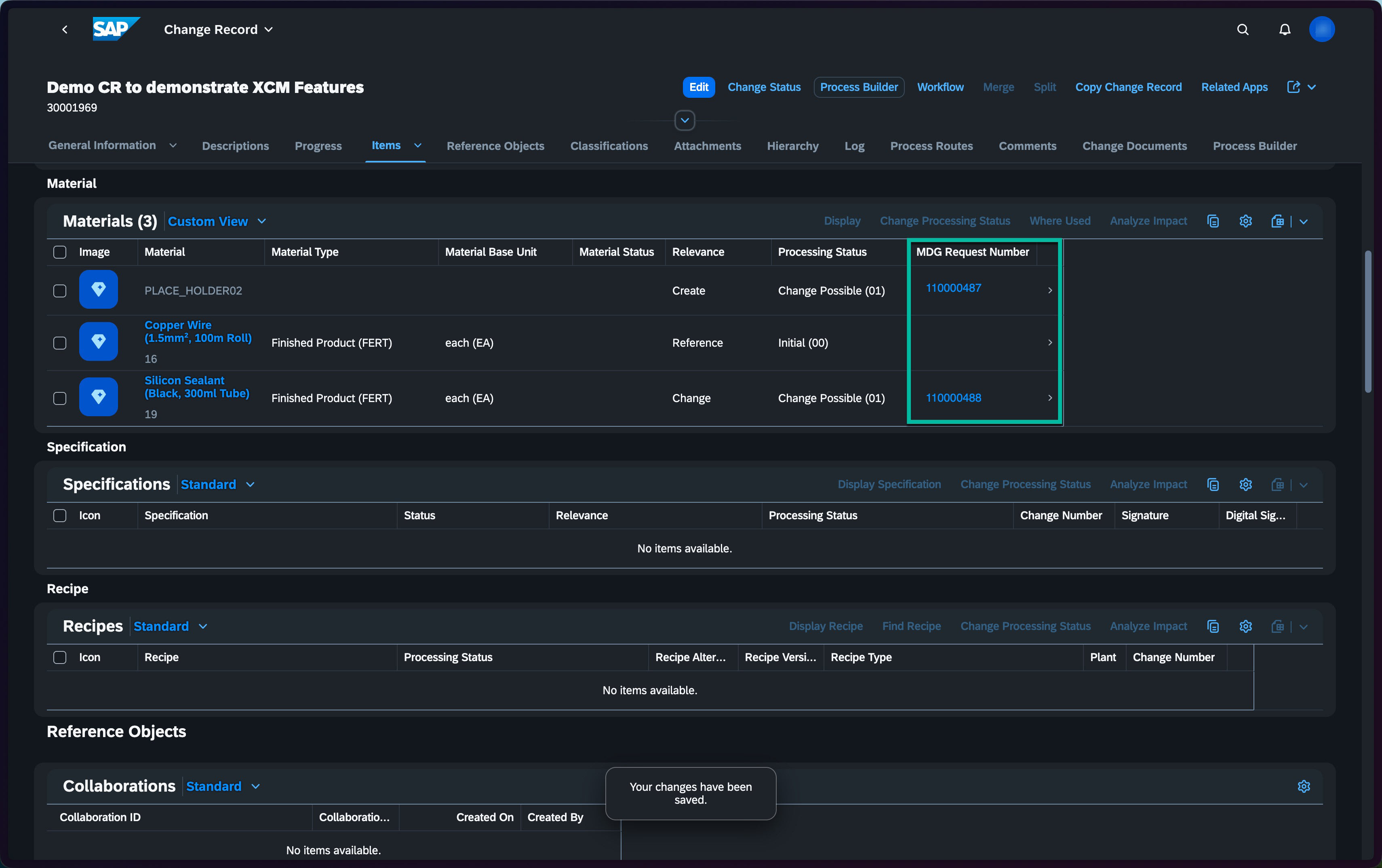
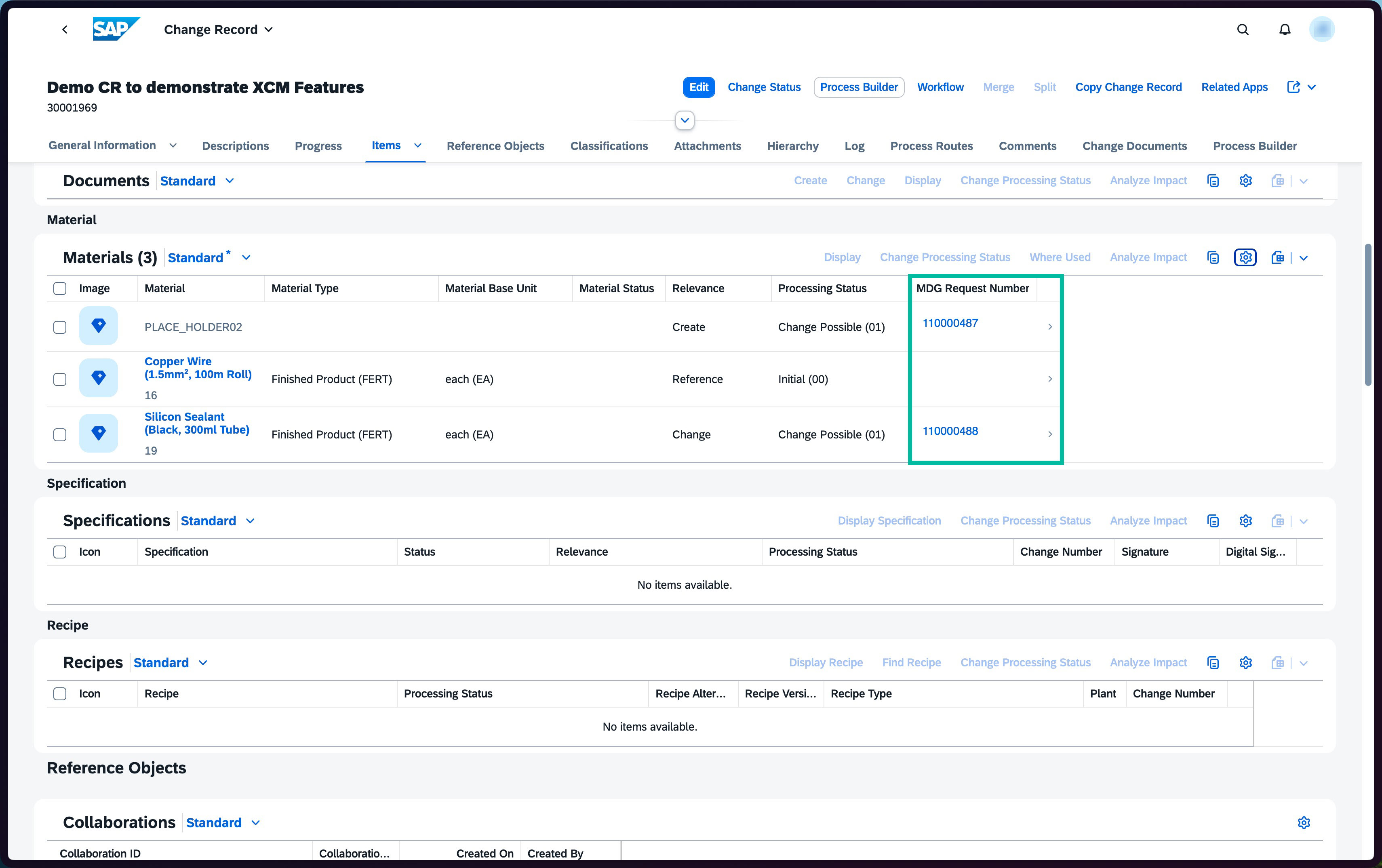
MDG-M integration with S/4HANA Change Records is not available in standard SAP — delivered as an out-of-the-box capability through XCM.
Integration is orchestrated via the Process Route workflow, where XCM tasks are configured at specific CR statuses to trigger the MDG-M process at the right point in the approval chain.
Once the MDG-M CR is created via API, its CR number is automatically written back to the originating Change Record for full traceability.
A wait step is automatically inserted into the Process Route, keeping the workflow paused until the MDG-M side completes — no manual intervention required.
An API callback ends the wait step when the MDG-M CR process concludes, allowing the Change Record process to seamlessly resume from where it was paused.
End-to-end traceability across both processes is maintained through an event-driven handshake — no manual coordination needed at any stage.
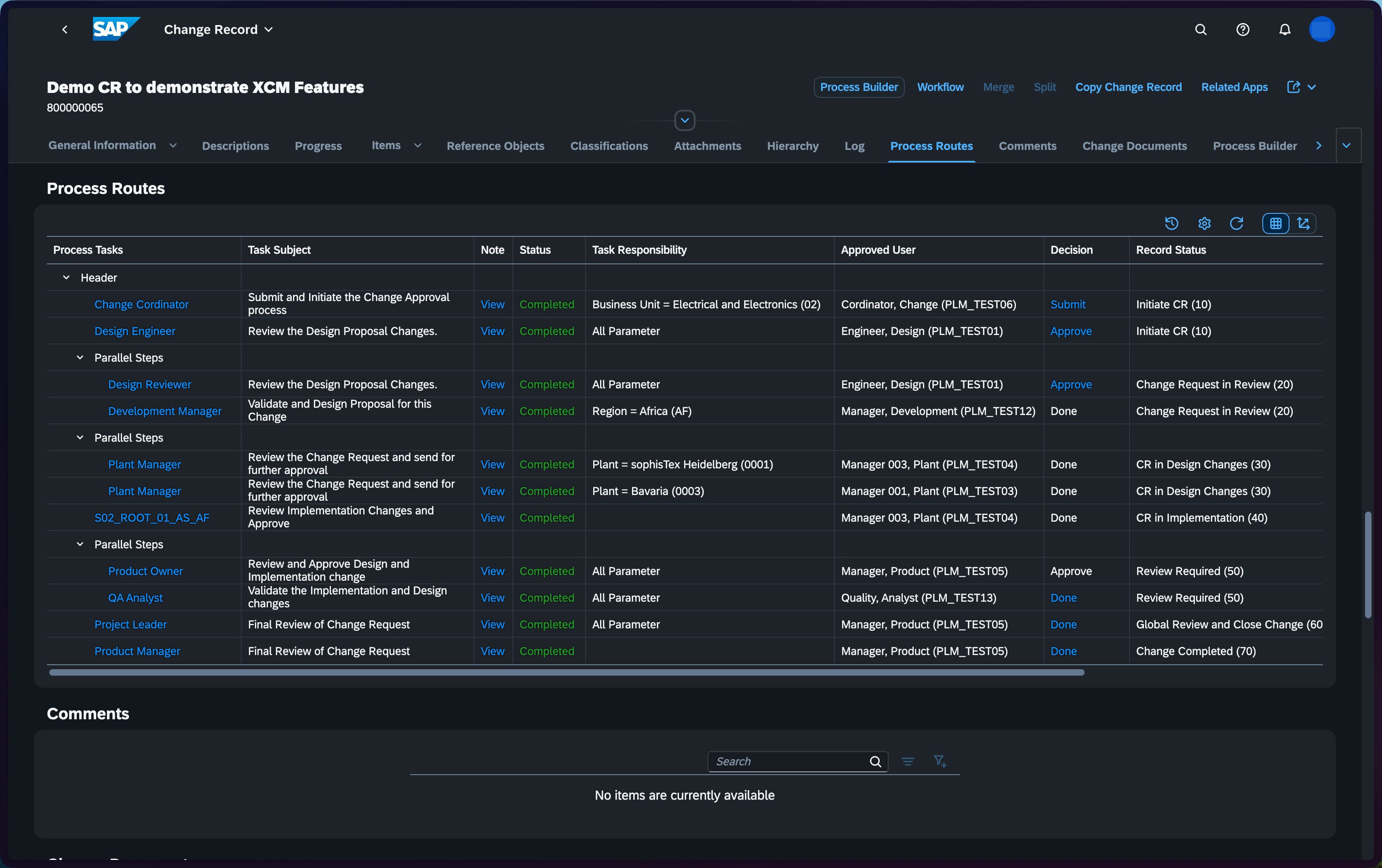
Every phase is tracked in the Process Routes log — approved user, decision, and record status visible from Initiate CR all the way to Change Completed.
ER to CR Migration with sophisTex XCM Migration Cockpit
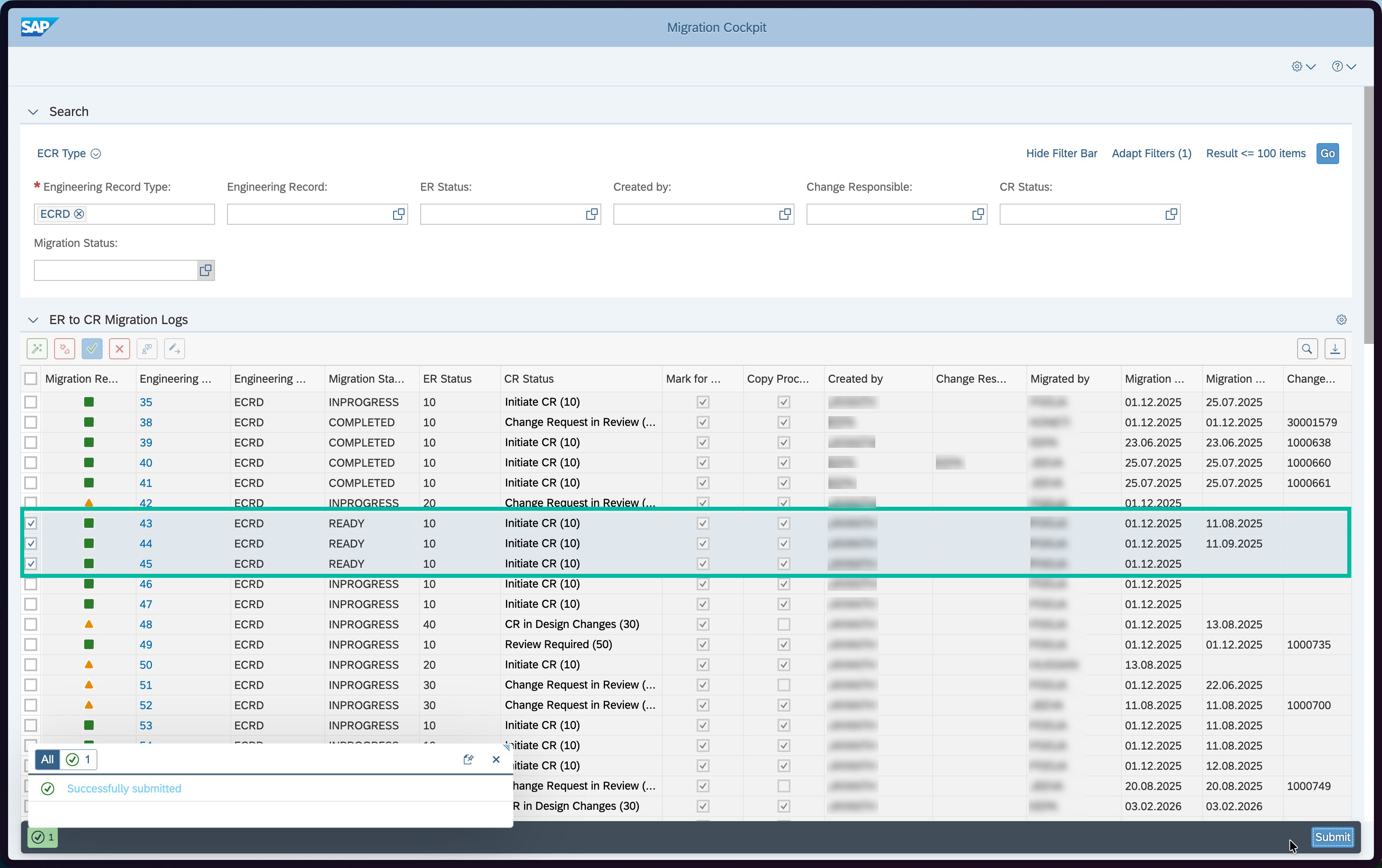
- Centralized migration readiness view — full visibility and control over the ER-to-CR transition process in one place.
- Readiness checks determine eligibility before migration — ERs with already-approved workflow tasks require manual confirmation and process reinitiation from the current status.
- ERs without active workflows are migrated automatically — the corresponding Change Record is created and the appropriate process route loaded without manual intervention.
- Field and status mapping are fully configurable — custom ER and CR fields are translated via target field mapping, while target status mapping aligns progression models when ER and CR statuses differ.
- Migration status is written back to the cockpit after each run — enabling clear audit trails, reprocessing of failed records, and prevention of duplicate CR creation.
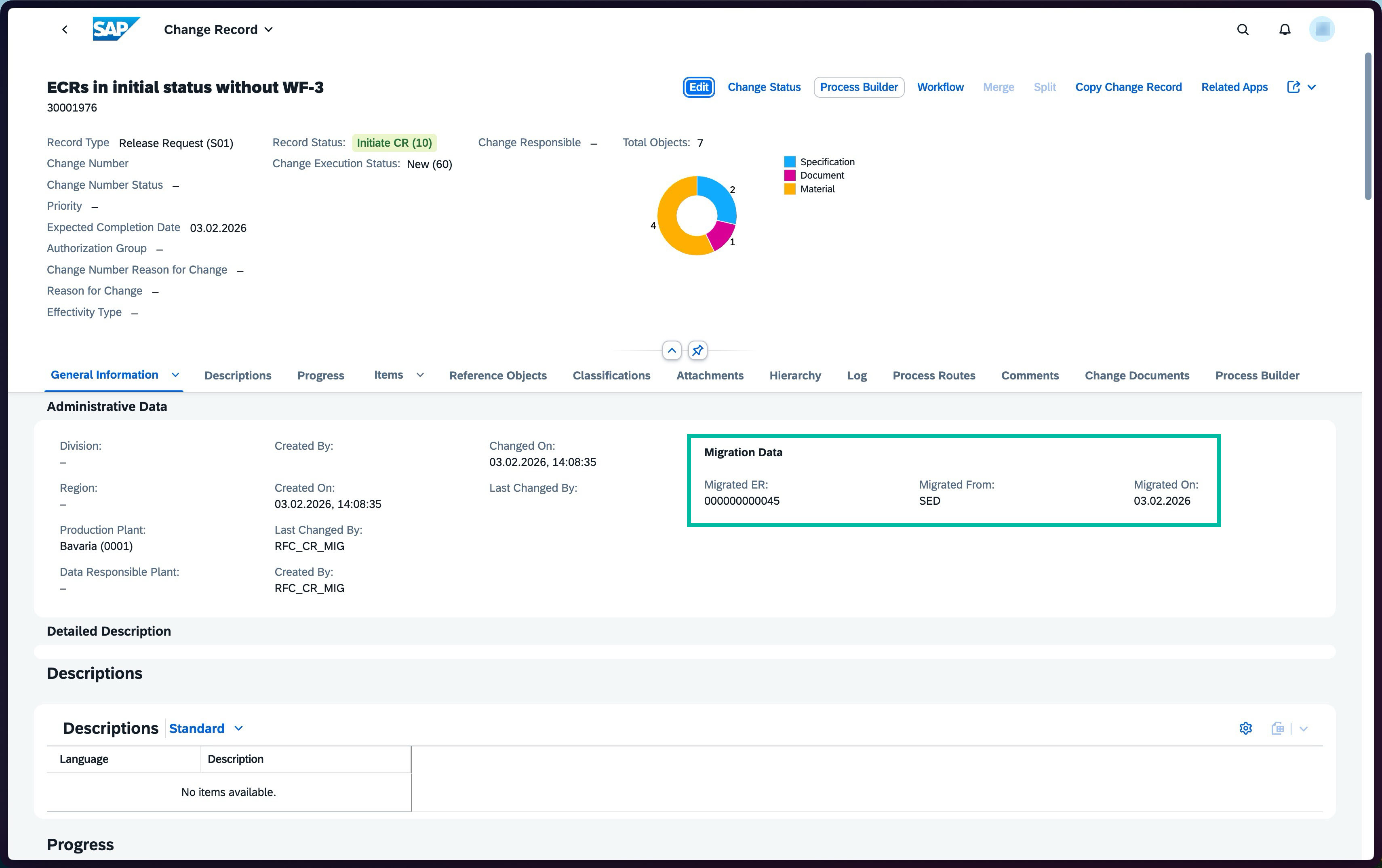
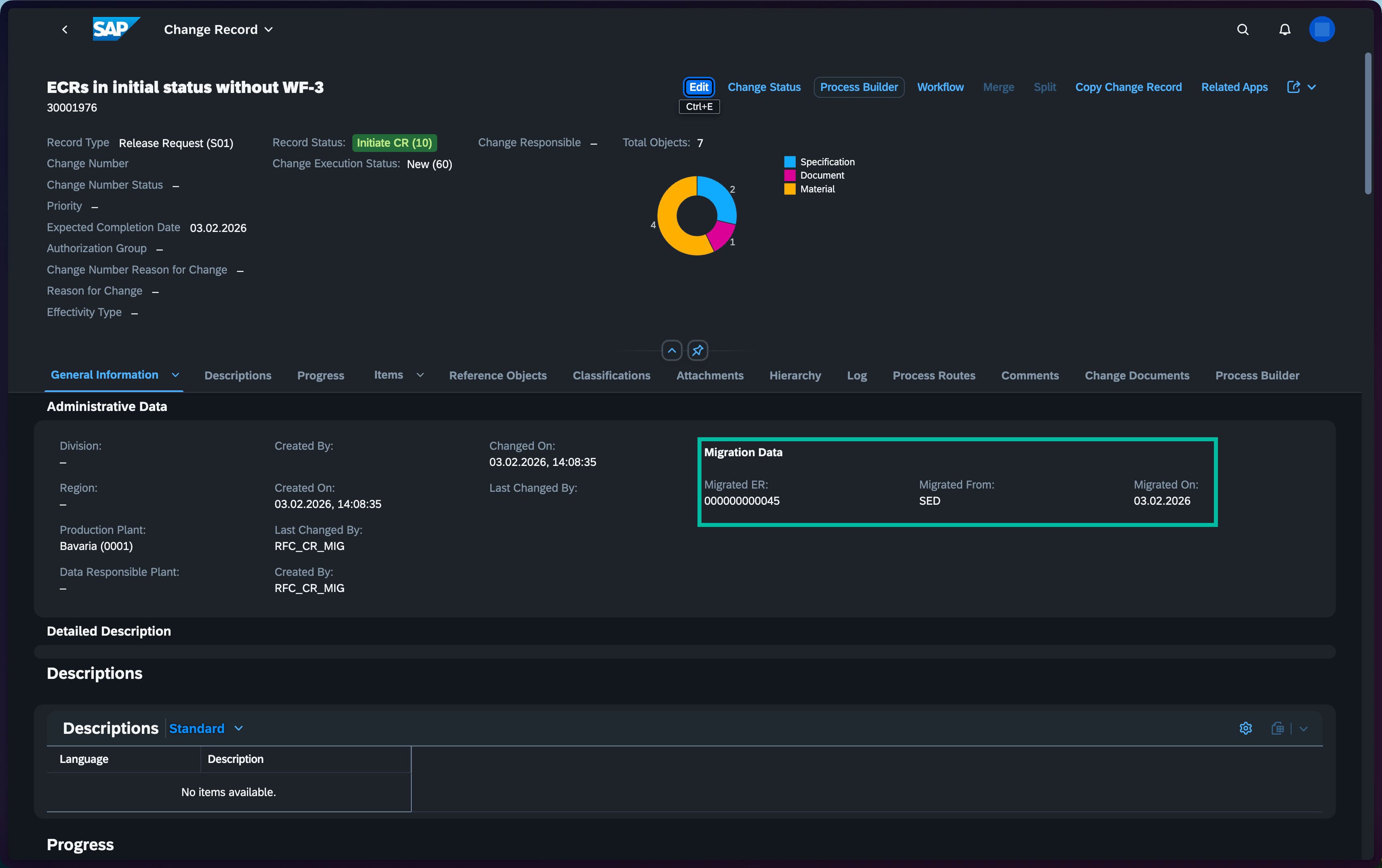
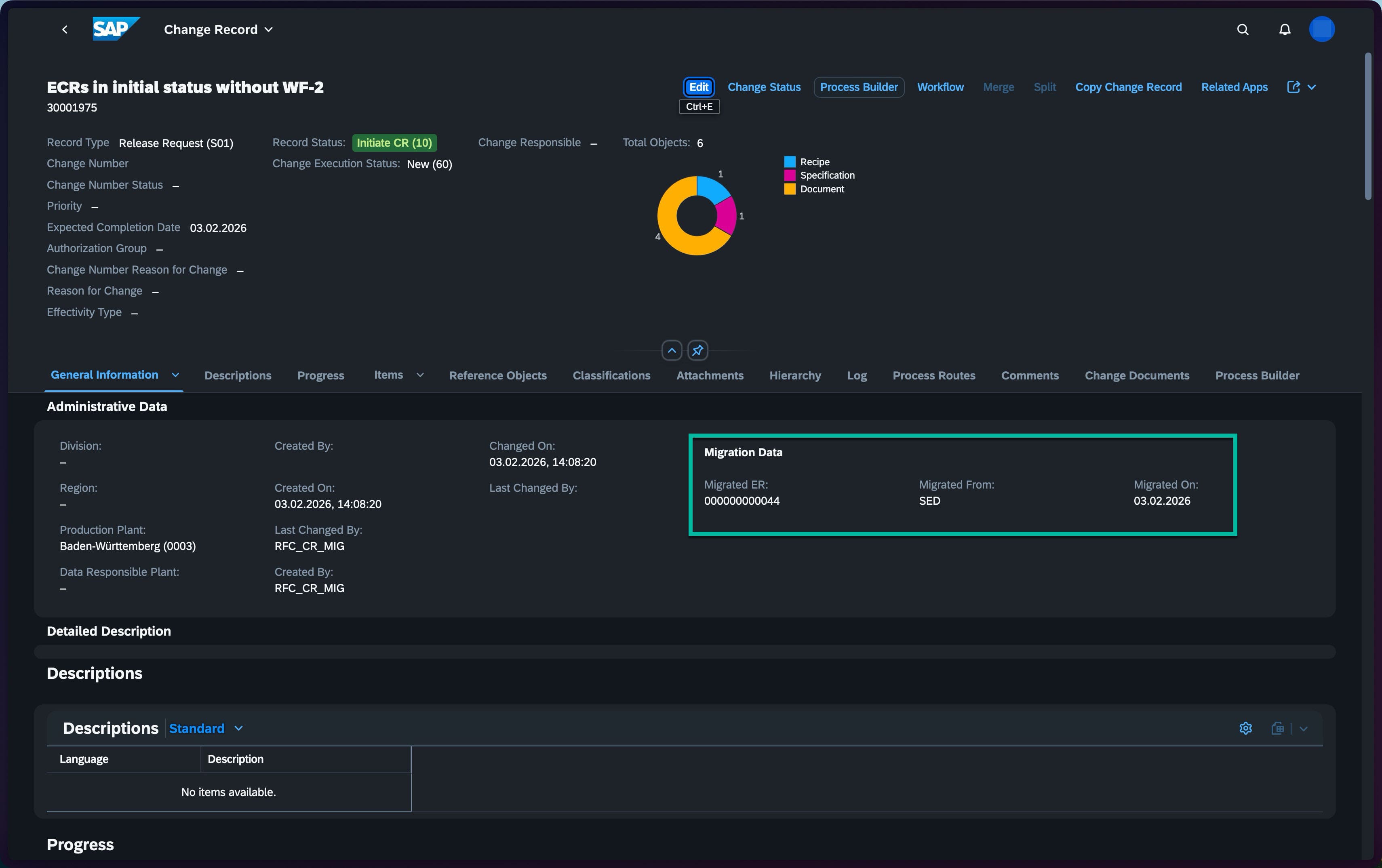
- Every migrated CR carries a Migration Data block — capturing the originating ER number, source system, and migration date for full traceability from day one.
- On-demand migration via a custom ER-level button — authorized users can trigger migration for a specific record at any time without waiting for a scheduled batch run.
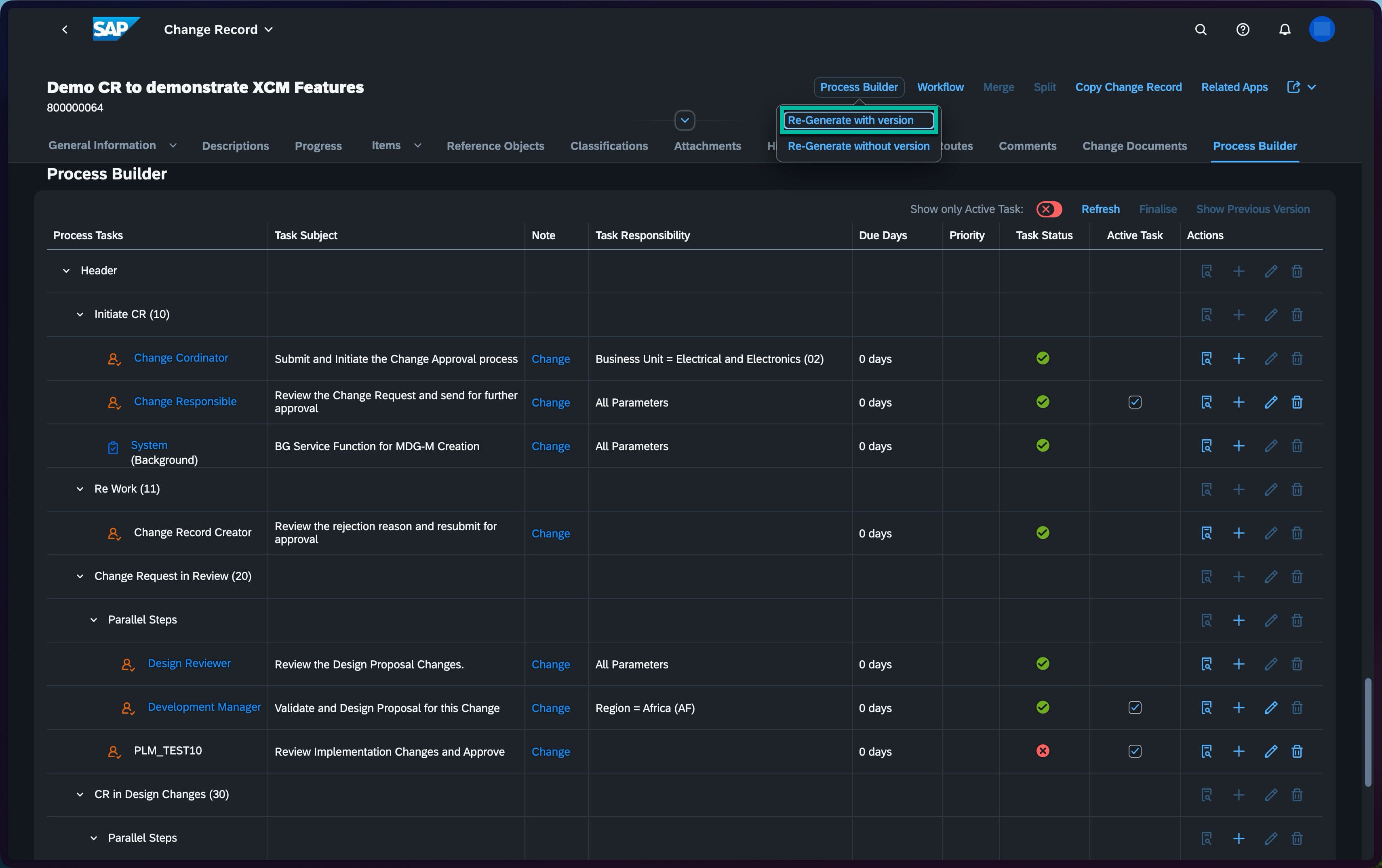
Process Builder – Dynamic Approval Lifecycle Management
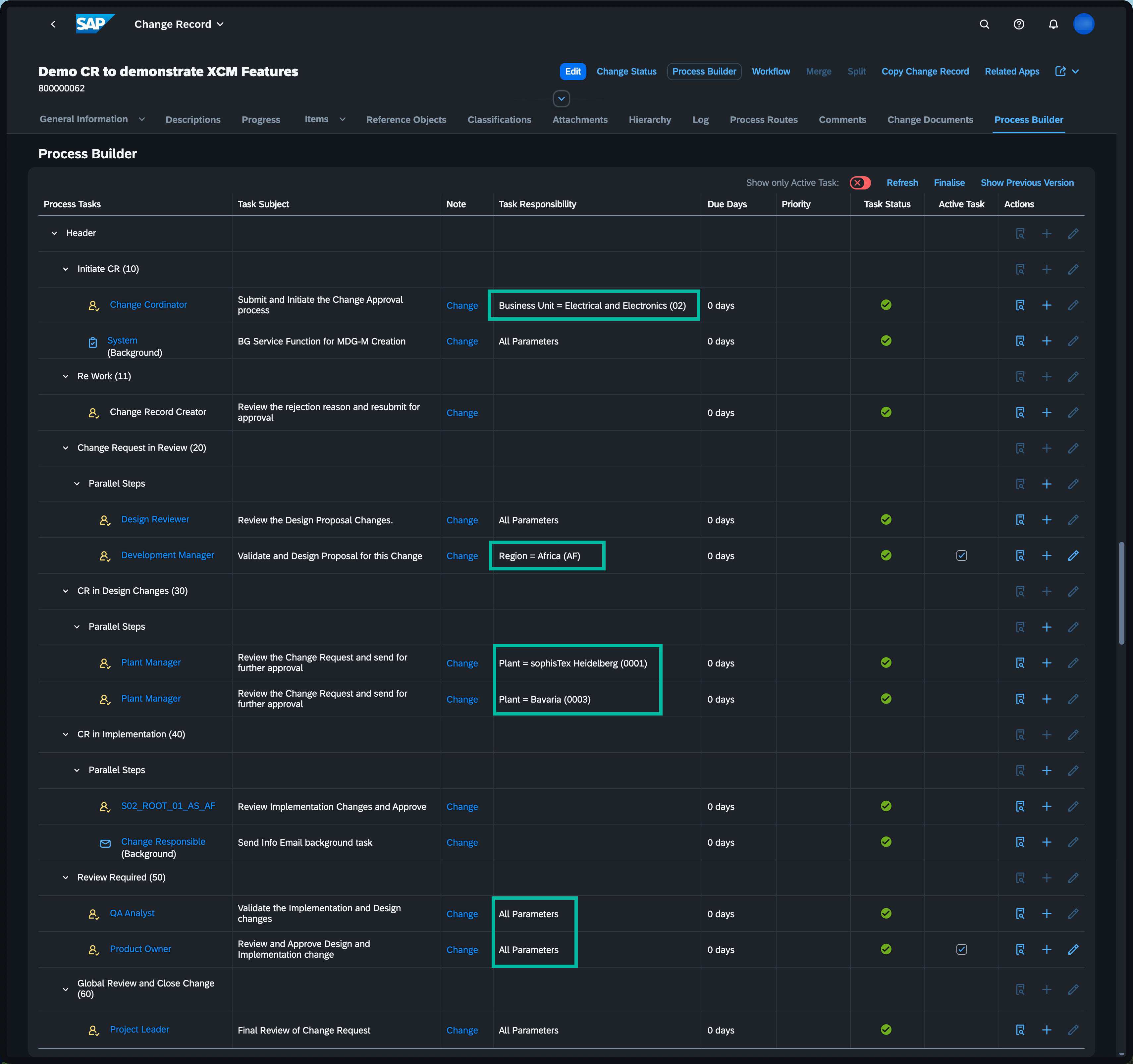
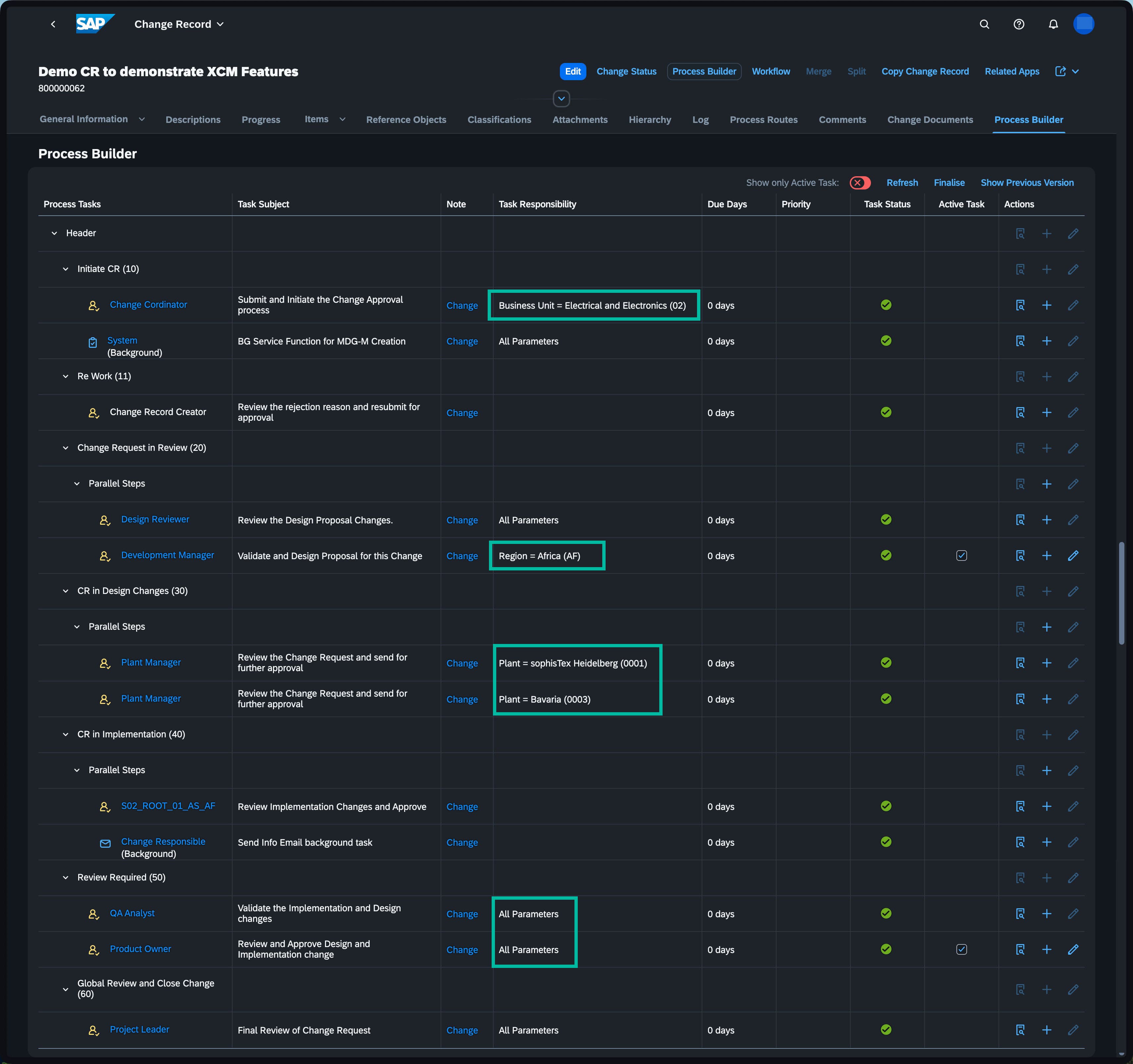
- Simulate the full CR approval lifecycle — from initial status to closure
- Real-time visibility into responsibilities at every stage
- Dynamic task routing based on Business Unit, Region, or Plant
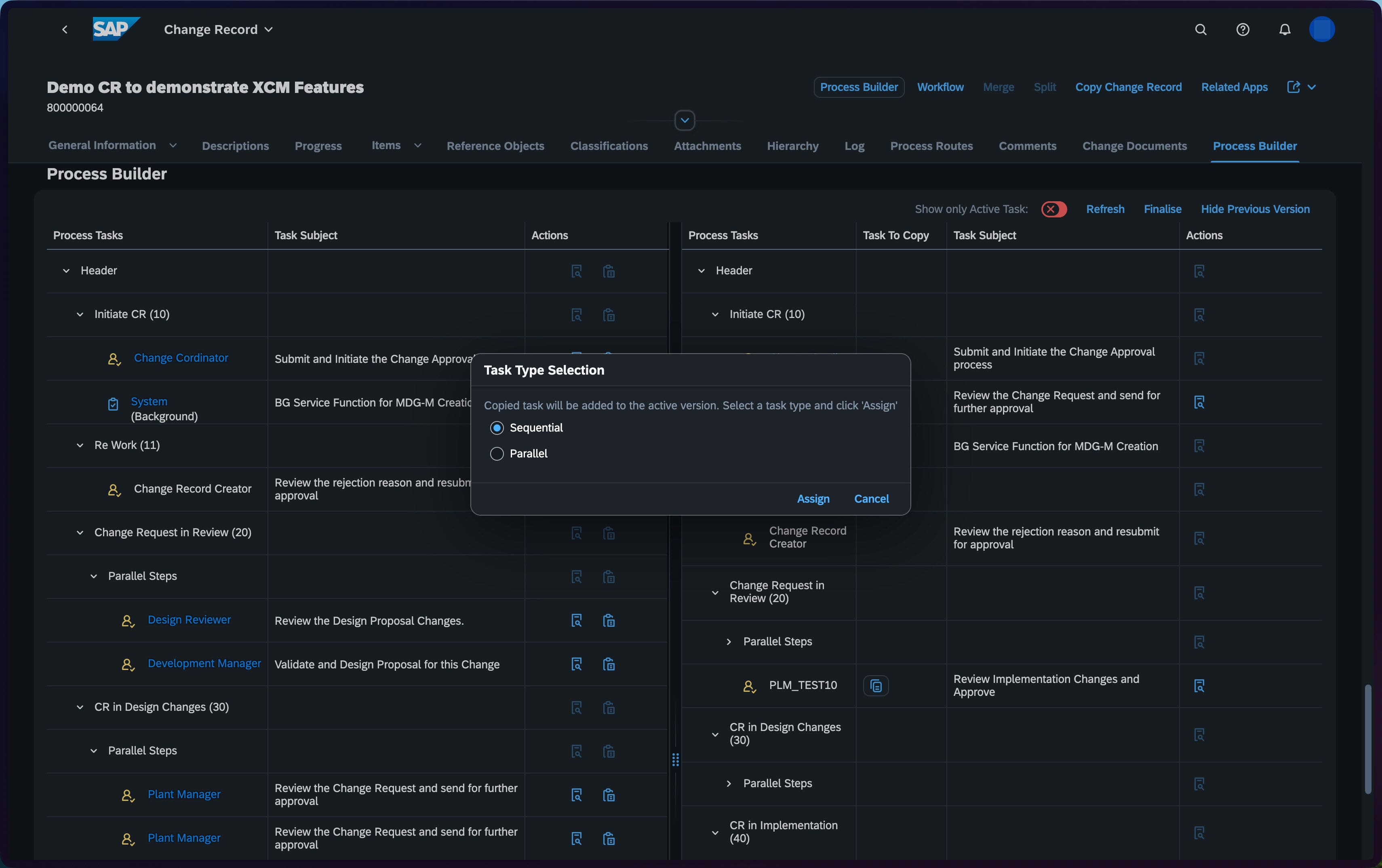
- Manually add missing approvers as sequential or parallel tasks
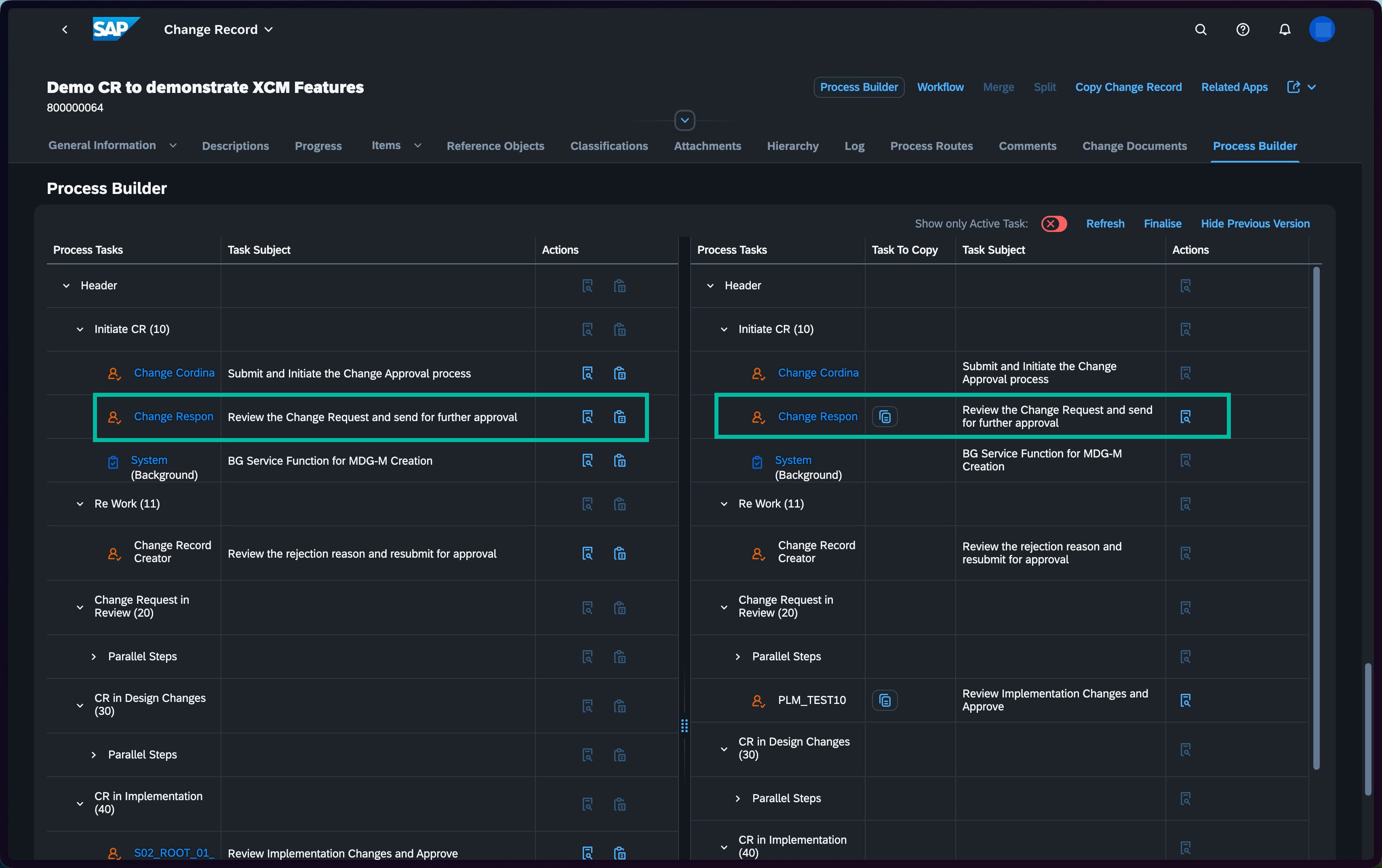
- Re-generate the process when CR attributes change — prior versions saved as snapshots
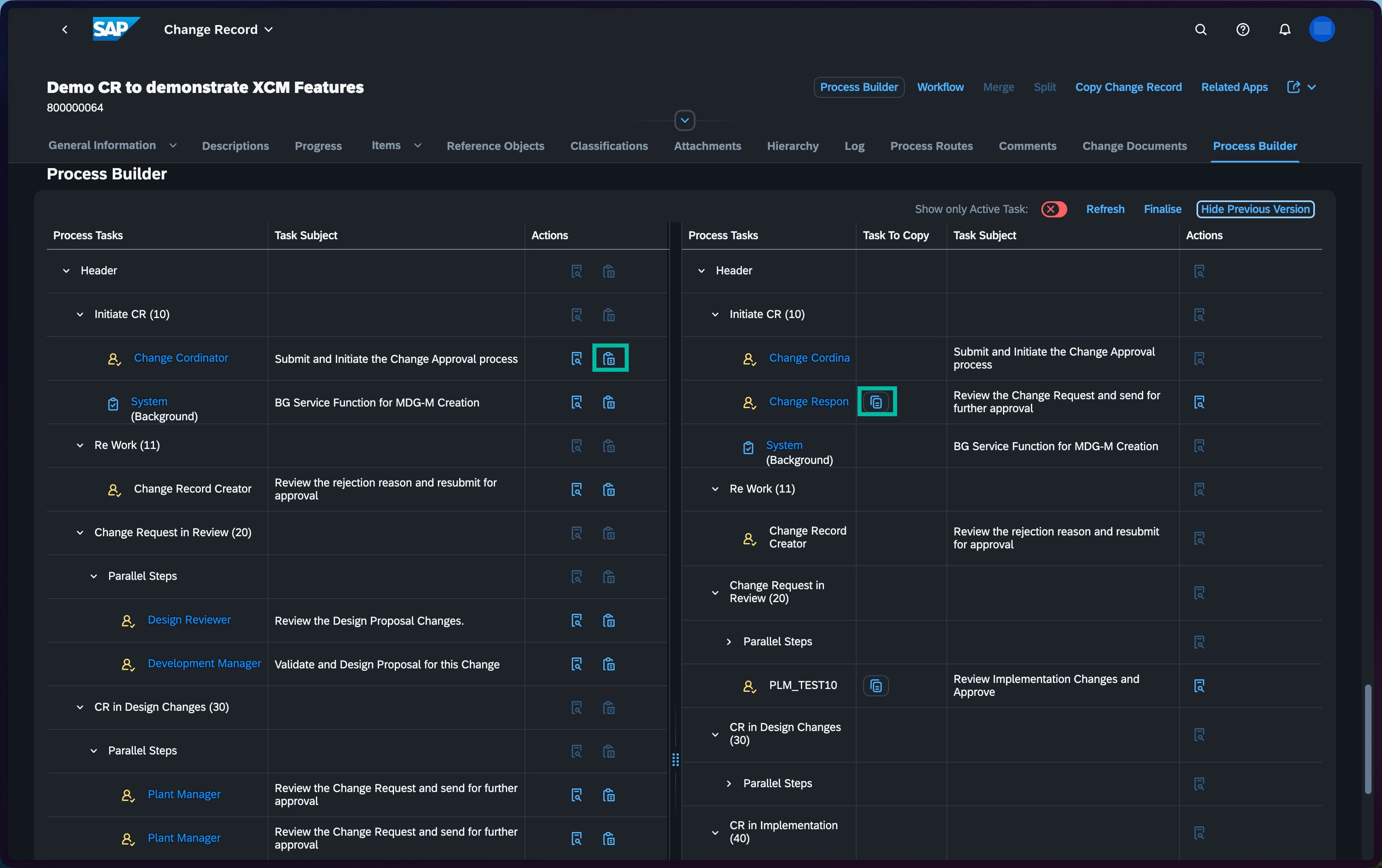
- Compare active vs. previous process versions side by side
- Copy tasks from prior versions back into the active process — recover custom approvers after re-generation
- Full end-to-end overview for process owners at any point in time
PLM Change Record (CR) Process Route with sophisTex XCM add-on
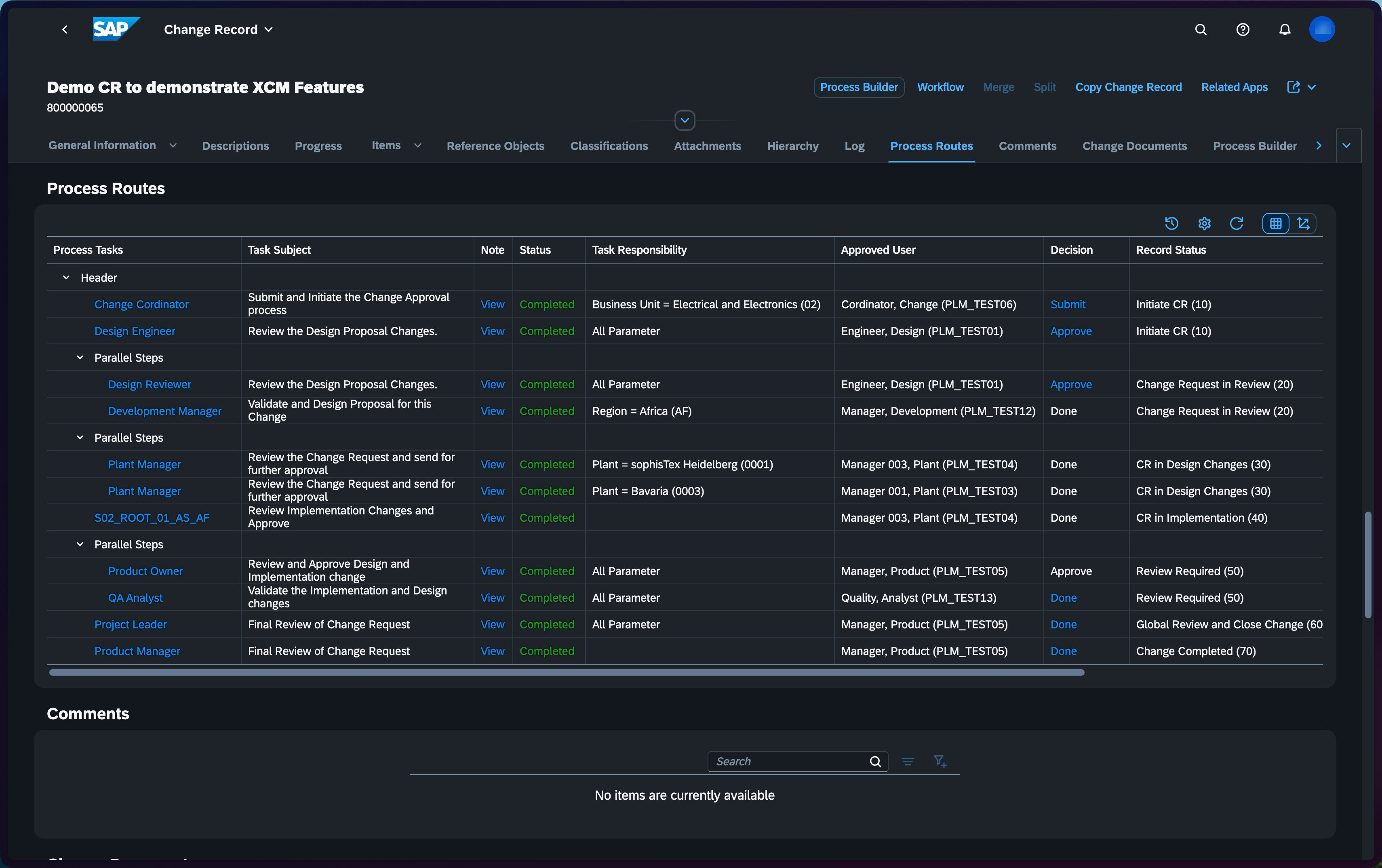
- BRF+ rules dynamically determine process tasks based on the current CR status, ensuring accuracy and relevance at every step.
- CR header and change item statuses — including BOMs, materials, and documents — are automatically updated via BRF+, maintaining consistent data throughout the process.
- A graphical workflow log provides clear visualization of process progression, making it easy to follow the full approval chain at a glance.
- Agents are automatically identified and assigned by analyzing CR header values against the Teams hierarchy and responsibility definitions, ensuring the right people are involved at every stage.
- Every task, decision, and actor is recorded in a full audit trail across the entire CR lifecycle.
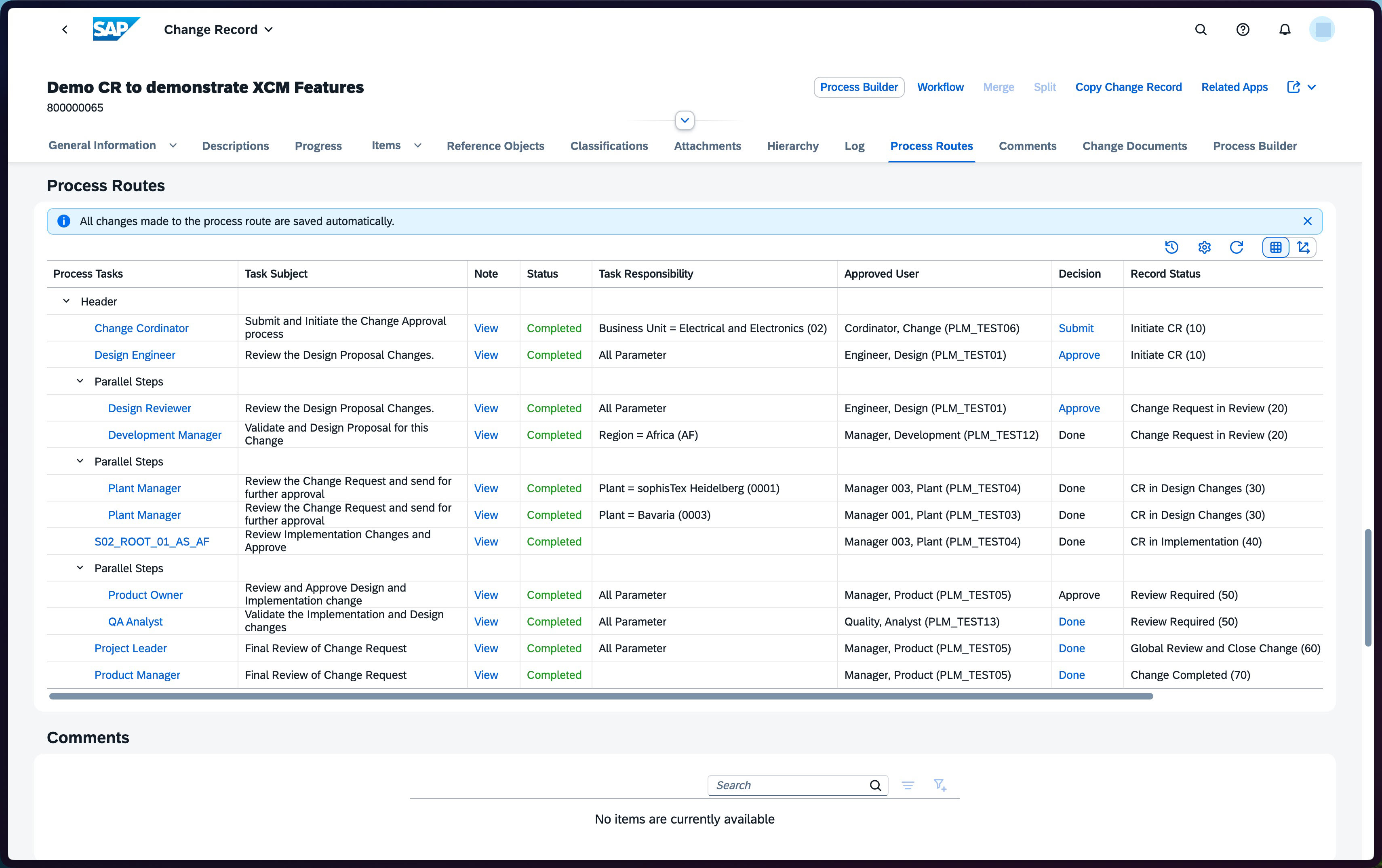
- Extended columns — Task Responsibility, Approved User, Decision, and Record Status — give a complete accountability overview without additional navigation.
- Clicking any task status opens a detailed work item log, allowing users to trace exactly what happened and why.
- Failed or stalled tasks can be pinpointed precisely, reducing troubleshooting time and improving process reliability.
- Active and previous process versions can be compared side by side to understand what changed and when.
PLM Change Record (CR) Teams Hierarchy with sophisTex XCM add-on
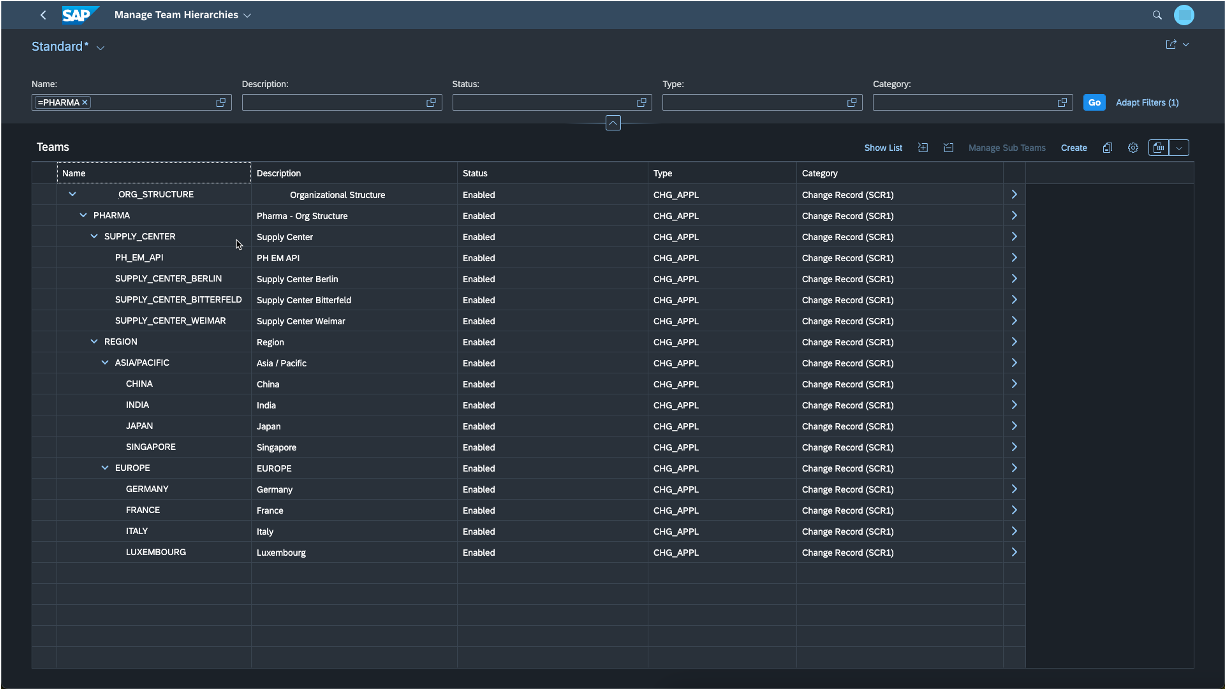
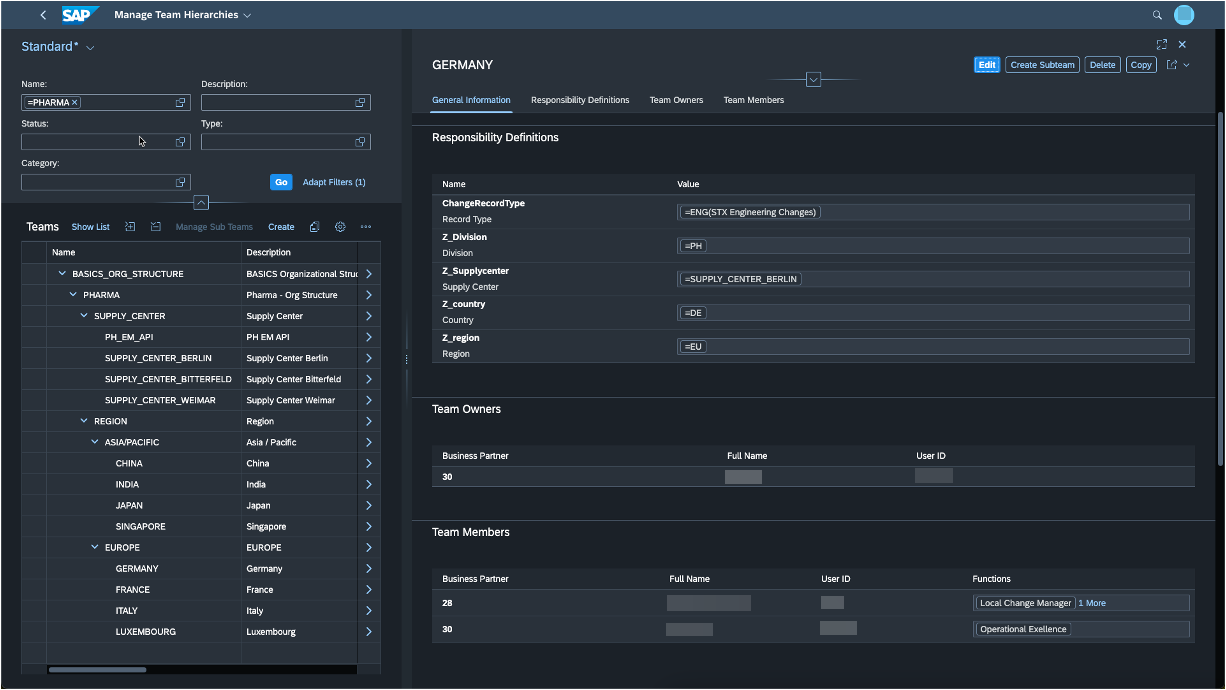
- Hierarchical Team Structures: Define complex team hierarchies effortlessly using Responsibility Management within standard Teams. Utilize super and sub-teams, each configurable with unique responsibility parameters, to mirror your organizational structure.
- Intelligent Task Assignment: Enable precise determination of responsible agents for process tasks. The system matches CR header parameters with responsibility definitions within the team hierarchy, ensuring efficient workflow.
- Targeted Business Partner Allocation: Assign Business Partners to specific functions, streamlining collaboration and ensuring clear accountability.
PLM Change Record (CR) Field Control with sophisTex XCM add-on
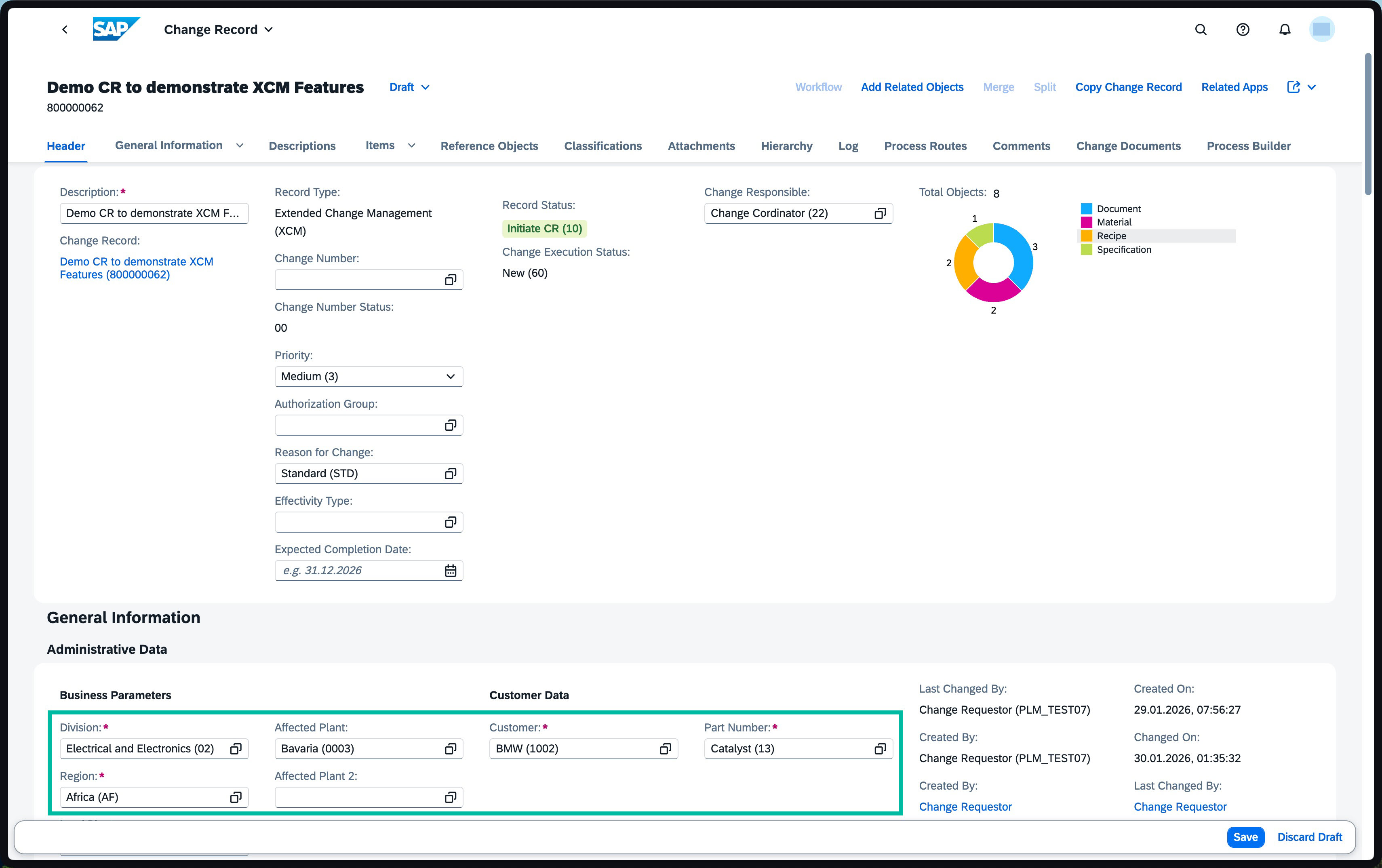
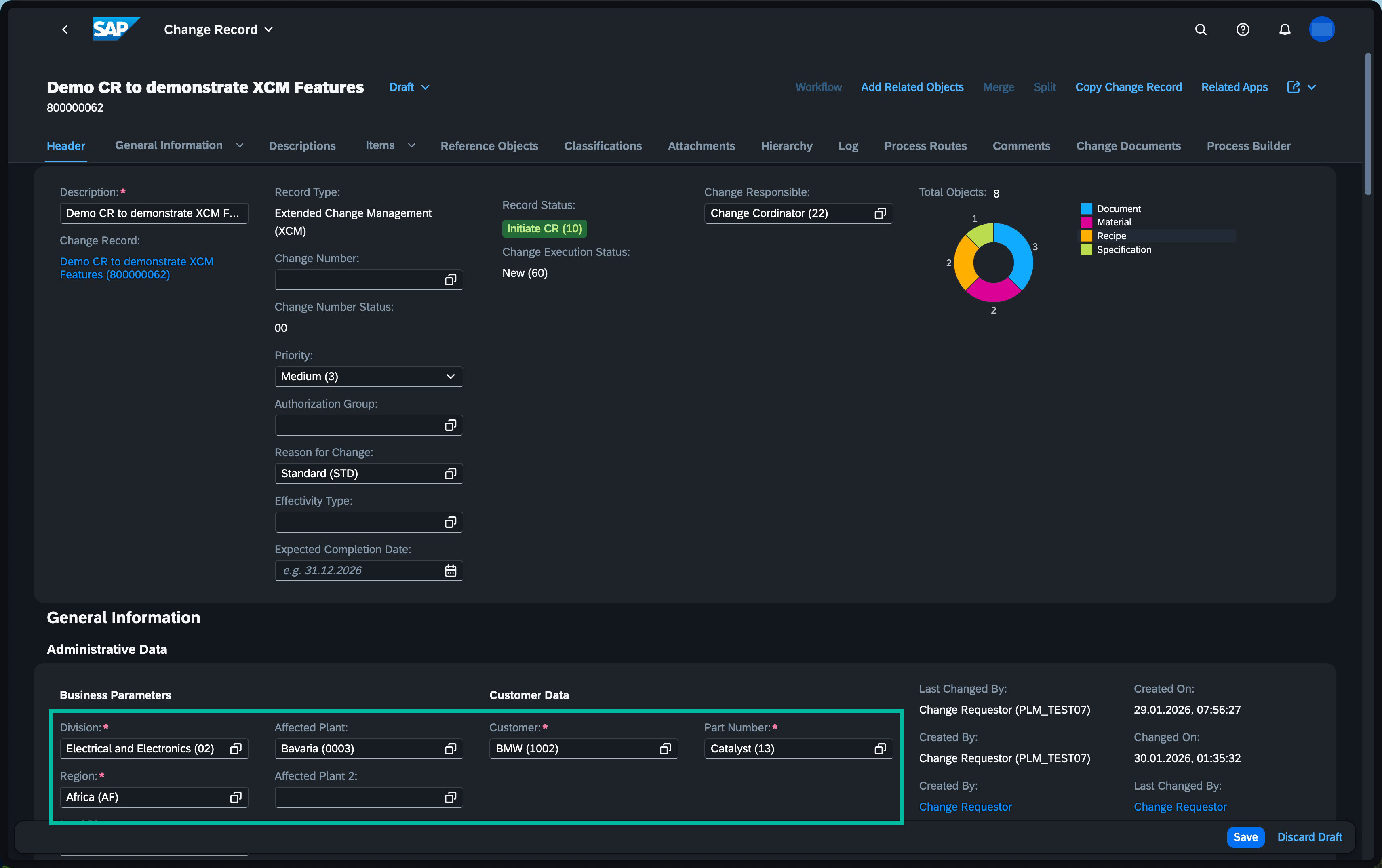
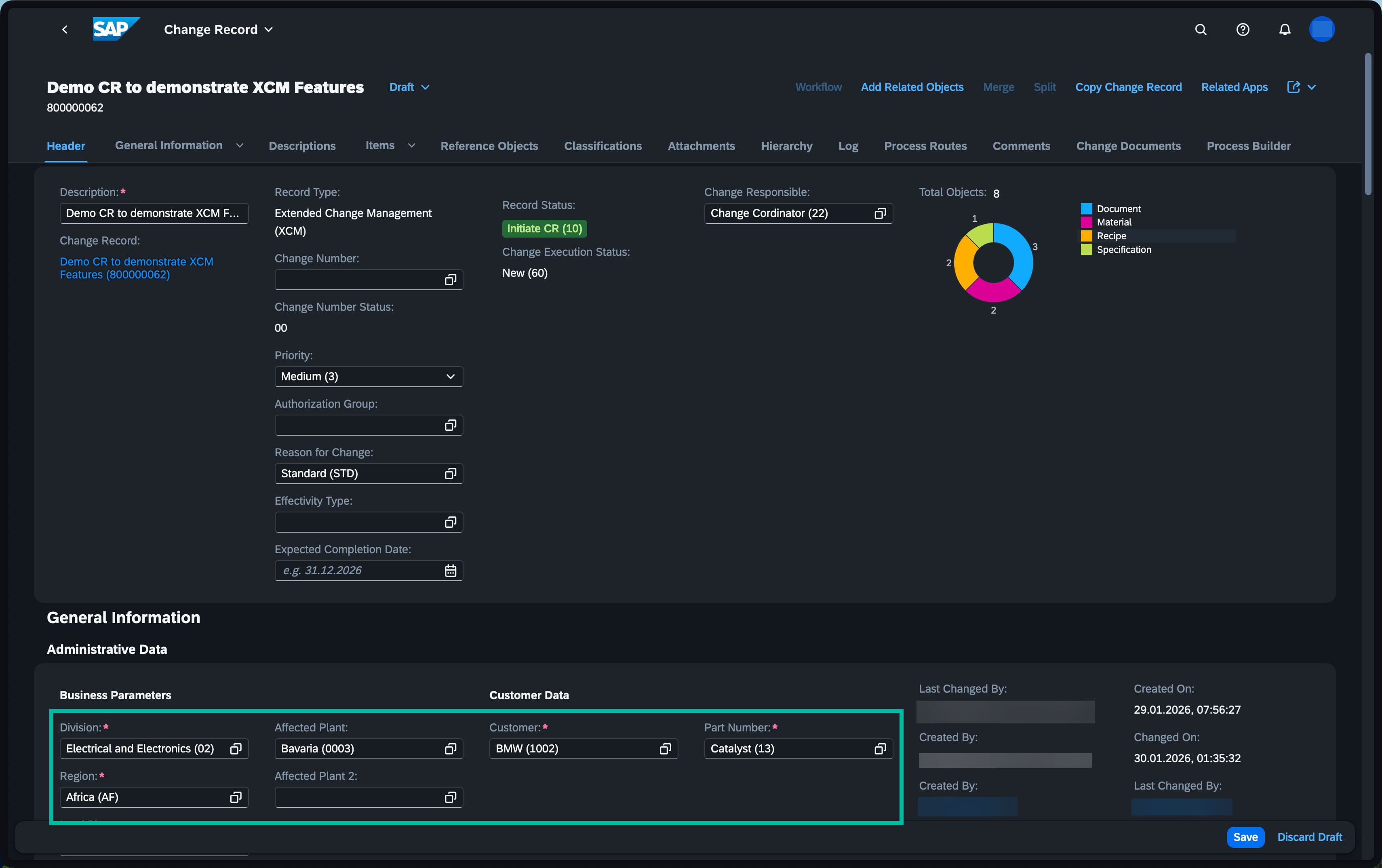
- Go beyond status-based control: Standard SAP drives field behavior by CR Type and status alone — XCM adds any header attribute as a trigger condition.
- Combine multiple conditions: Field visibility, mandatory, and read-only states can be driven by any combination of Division, Plant, Region, Customer, Part Number, or custom fields — simultaneously.
- Dynamically control fields: Use BRF+ rules to dynamically control CR header fields and action properties, adapting to different scenarios.
- Ensure complete data entry: “Change Description” and “Expected Completion Date” are mandatory upon CR creation, guaranteeing key information is captured.
- Guide users through the process: Business Parameters become mandatory after CR creation, prompting users to provide relevant information at the appropriate time.
- Customize to your needs: Easily customize these rules in BRF+ to perfectly align with your unique business requirements.
Feature Overview
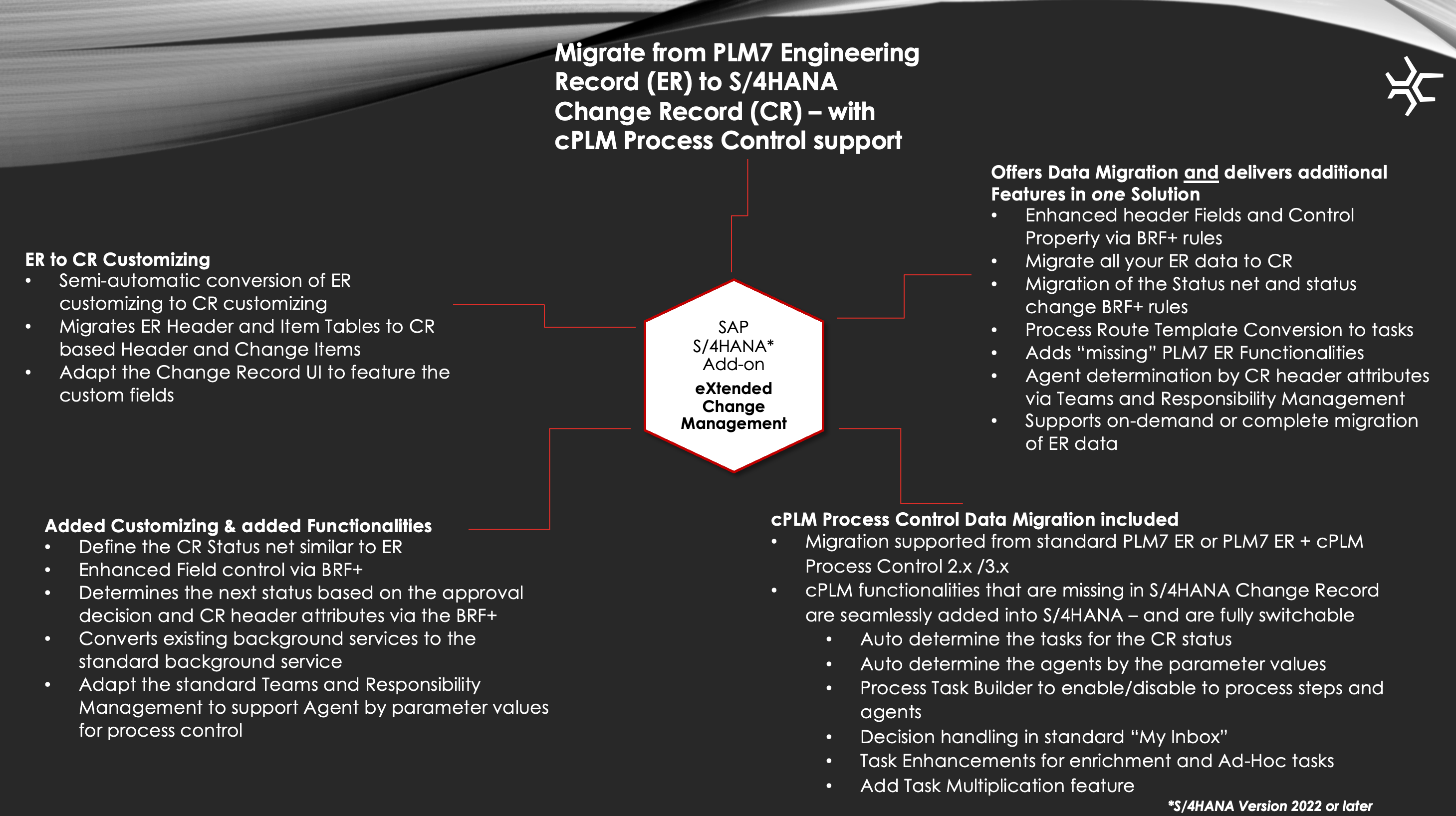
Download the sophisTex eXtended Change Management overview document now!
XCM Feature Gallery
See XCM in Action
Ready to see XCM in action?
Contact us to explore how sophisTex eXtended Change Management can streamline your SAP S/4HANA PLM change processes — from advanced process routing to full ER-to-CR migration.